
-
Use our step-by-step tool to solve your machine's problem.
-
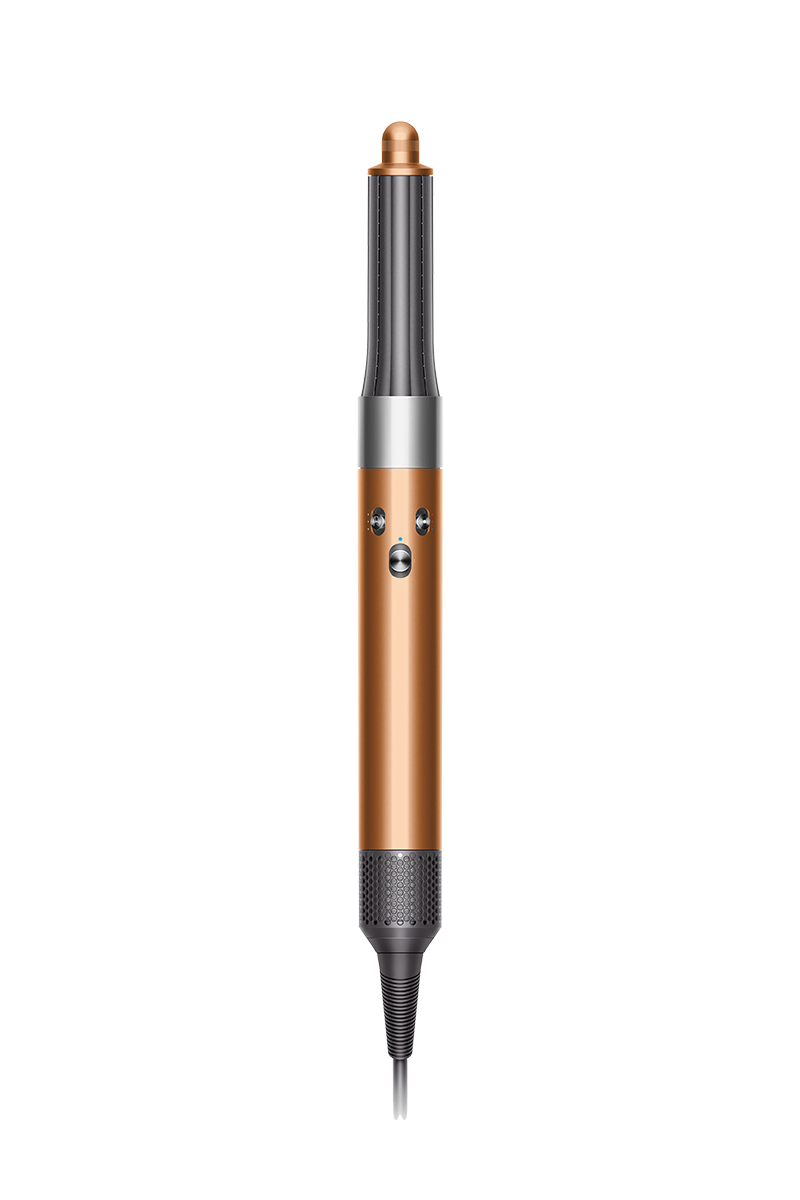
Genuine Dyson attachments and accessories for your Airwrap™ multi-styler.
-

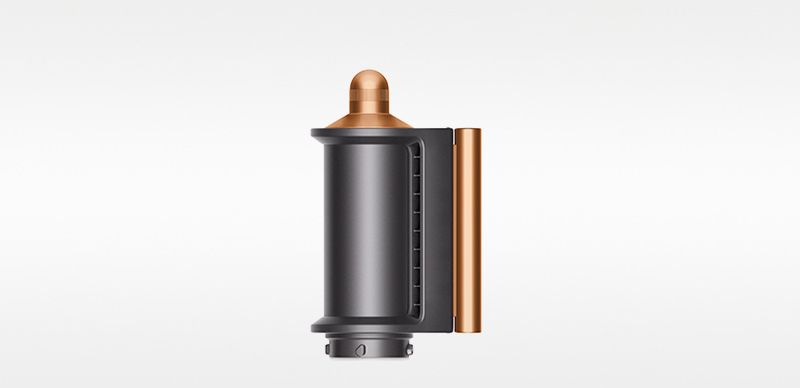
Coanda smoothing dryer
Coanda smoothing dryer
Part No. 971895-03
Multi-functional attachment to dry, smooth and hide flyaways. For use on dry and straight[ened] hair.
$59.99
-
We recommend using our maintenance guides to keep your Airwrap™ multi-styler performing at its best.
-
How to clean your filter
The flashing white LED tells you when it's time to clean your filter. Watch how to do it in our video guide.
-
How to clean your attachments
Simply wipe the surfaces of your barrels and Coanda smoothing dryer with a soft, damp cloth, and carefully pull any hairs out of the brushes.
*Colours or attachments may vary from those shown


Get more from your Dyson with the MyDyson™ app▴
▴The MyDysonTM app is only compatible with select Dyson products. For a list of compatible products, please click here.
-
The service includes labour and spare parts where required (excluding additional accessories and filters), which are guaranteed for 12 months or until service support ends for your machine – whichever is soonest.
-
Live chat
Use the ‘Live chat’ button in the bottom left of your screen to talk to a Dyson Expert.
-




Apple and the Apple logo are trademarks of Apple Inc., registered in Canada and other countries.
App Store is a service mark of Apple Inc., registered in Canada and other countries.
Google Play and the Google Play logo are trademarks of Google Inc.
Frequently Asked Questions
If your Dyson Airwrap™ multi-styler and dryer doesn't have any power, or isn't turning on, it could be for a number of reasons:
- The filter, or cover, is blocked – Clean your filter and wash your filter cover.
- The switch is faulty – Contact customer support.
Please click here for more detailed instructions on how to avoid, or fix, any problems you might experience with your machine.
If your Dyson Airwrap™ multi-styler and dryer cuts out, works intermittently or keeps shutting off, it is likely because:
- The filter, or cover, is blocked – Clean your filter and wash your filter cover.
Please click here for more detailed instructions on how to avoid, or fix, any problems you might experience with your machine.
If your Dyson Airwrap™ multi-styler and dryer is performing poorly, it could be for a number of reasons:
- The filter, or cover, is blocked – Clean your filter and wash your filter cover.
- A different tool or accessory is needed – Check the MyDyson™ app for tips.
Please click here for more detailed instructions on how to avoid, or fix, any problems you might experience with your machine.
If your attachments won't stay on your Dyson Airwrap™ multi-styler and dryer, it could be for a number of reasons:
- The attachment may not be locked onto the main body – All attachments click into place. To change attachment, slide the Release button and remove using the cool tip or edge.
- The attachment connection may be broken – Order a new attachment. Spares and accessories are listed above or order at Dyson.com
- The main body locking clip may be broken – Contact customer support.
Please click here for more detailed instructions on how to avoid, or fix, any problems you might experience with your machine.
It is important to regularly clean your Dyson Airwrap™ multi-styler and dryer. To do so:
- Clean your filter regularly to maintain powerful airflow and keep your styler performing at its best. We recommend cleaning once a month, or when the white LED flashes continuously.
- Remove the filter cage by sliding down the power cord and opening at the split line.
- Use the C-brush or a soft toothbrush to gently clean the filter mesh. Don't use chemicals or water.
- To clean the filter cage, loosen debris with your brush, then rinse the cage and brush under warm running water.
- Apply a pea-sized amount of clarifying shampoo to the brush and use it to lightly scrub the filter cage. Rinse for 20 seconds, until all shampoo is removed.
- Shake filter cage to remove excess water. Gently pinch with a paper towel to squeeze-dry. Hold the filter cage up to the light to check it's clean.
- Allow the filter cage to fully dry before proceeding. Secure the filter cage back onto the machine.
Please click here for more detailed instructions on how to avoid, or fix, any problems you might experience with your machine.
If your Dyson Airwrap™ multi-styler and dryer is emitting a bad or burning smell, it could be for a number of reasons:
- The filter, or cover, is blocked – Clean your filter and wash your filter cover.
- The main body is faulty – Contact customer support.
Please click here for more detailed instructions on how to avoid, or fix, any problems you might experience with your machine.
Your Dyson Airwrap™ multi-styler and dryer features lights to communicate processes and needs to you. They include:
- White flashing light – Clean the filter.
- Red flashing light – Clean the filter, if it’s already been done, contact customer support.
- Flashing blue light – Your Dyson Airwrap™ multi-styler and dryer is ready to connect to the MyDyson™ app.
- Solid blue light – Your Dyson Airwrap™ multi-styler and dryer has successfully connected to the MyDyson™ app.
Please click here for more detailed instructions on how to avoid, or fix, any problems you might experience with your machine.